
When creating new vendor records opening balance field is available under Financial tab. After saving NetSuite creates the journal entry with the following GL Impact:
Uncategorized Expense Dr
Accounts Payable Cr
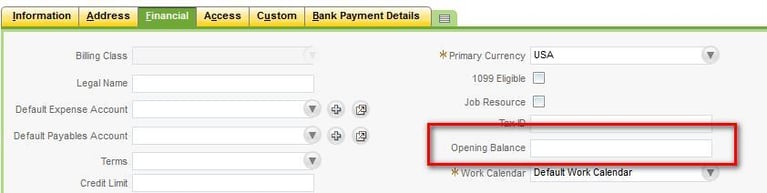
But after saving the vendor record, the opening balance field will not be shown.
To enter the vendor balance, Go to Transactions > Financials > Make Journal Entries and select the debit and credit accounts and select the vendor name in the name field for the two lines
Note that user can create one single Journal for multiple vendor opening balances